
Statement of Applicability (SoA)
Purpose of the Function
The Statement of Applicability (SoA) serves as a central component of the ISMS according to ISO/IEC 27001. In this verinice function, you document:
- which security controls from Annex A of ISO/IEC 27001 apply to the defined ISMS scope,
- the reason why they are applicable or excluded, and
- the current implementation status of these controls.
Basics: Scope Objects
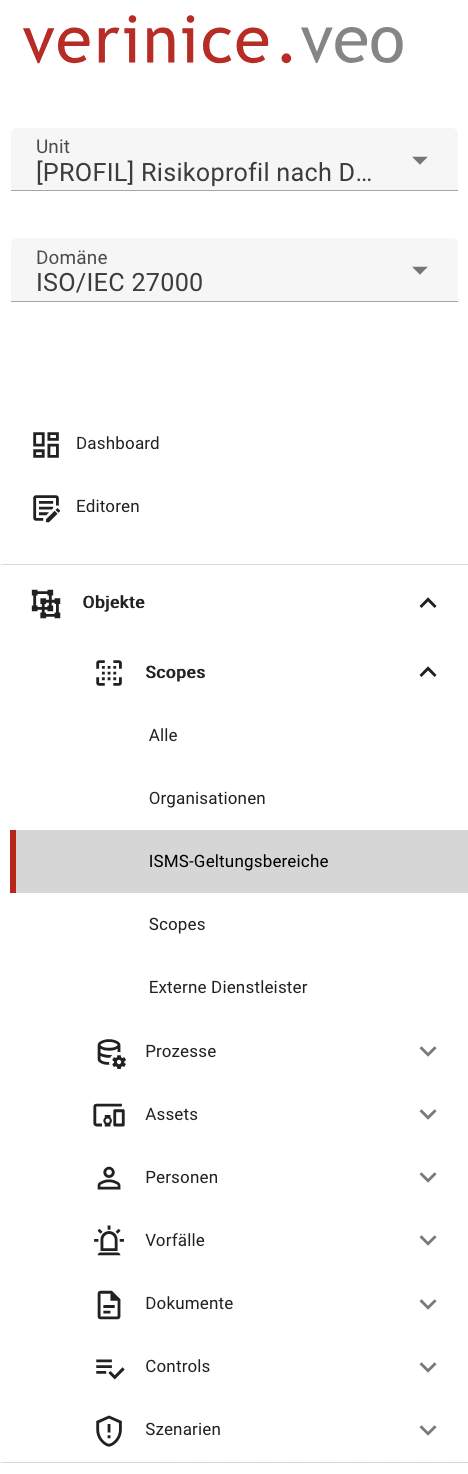
In verinice, the scope subtype ISMS Scopes is available for this purpose:
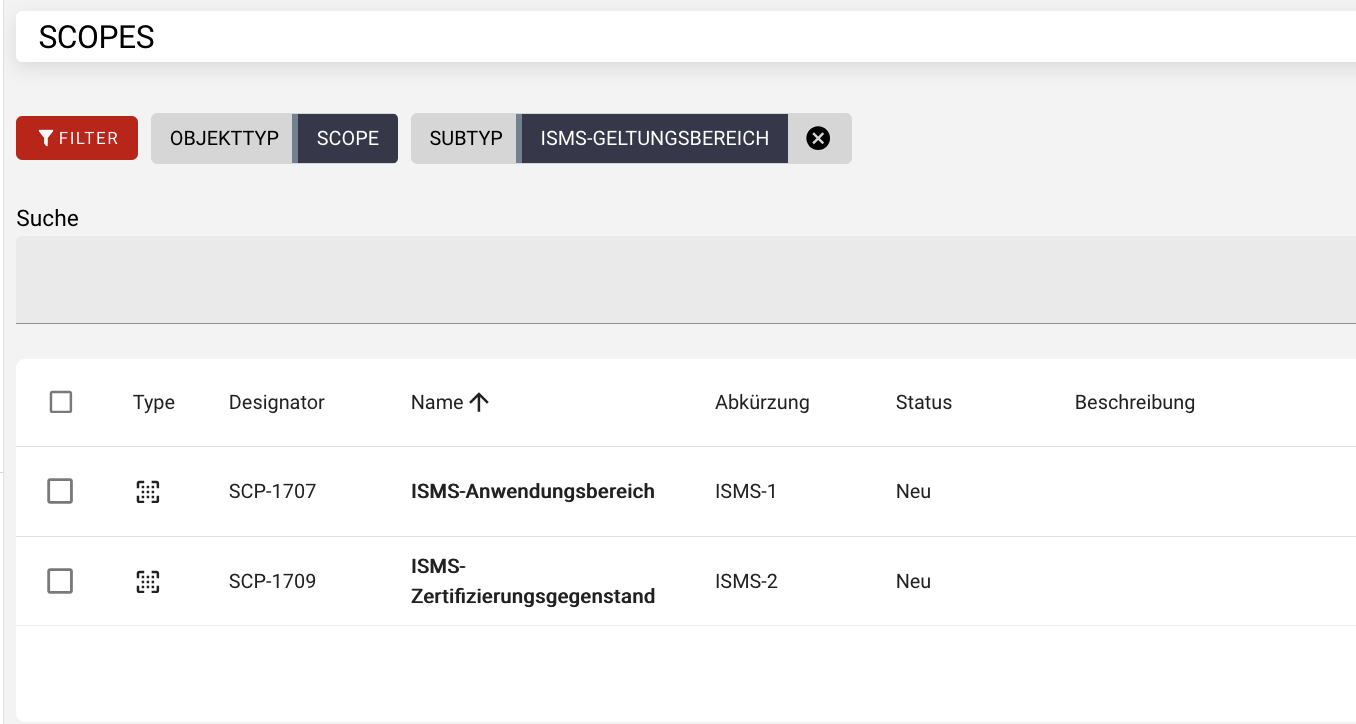
Any number of scopes can be created, such as:
- ISMS Scope: Describes the organizational and technical scope of the ISMS. This object can form the basis for evaluating and determining the applicability of security controls.
- Certification Scope: Describes the specific part of the organization that is to be certified.
Reviewing Controls and Documenting Applicability
Selecting the ISMS Scope
Navigate in the menu under Objects to Scopes and then to ISMS Scopes. At the bottom right of the screen, you can use the plus button to create an ISMS scope and describe it in the form.
Alternatively, select the subtype ISMS Scopes in the dashboard and create the appropriate object in the object overview.
Accessing the SoA Function
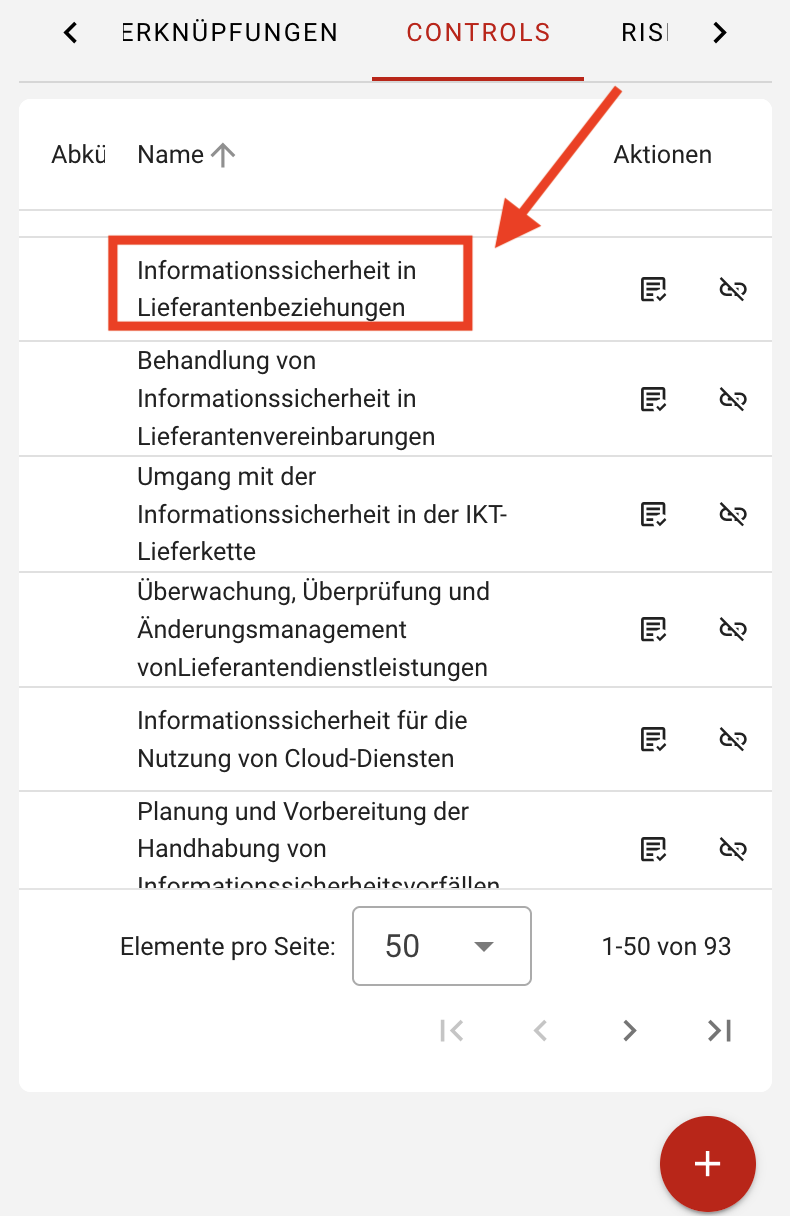
Open the created ISMS Scope and go to the Controls tab. Using the plus button Select Controls, you can choose the applicable security controls for the Statement of Applicability and save them. If the ISO/IEC 27001 catalog has already been applied to your Unit, the list of controls from Annex A of ISO/IEC 27001 will be loaded automatically.
In the list, all security controls that must be applied in the sense of a Statement of Applicability must be selected. These may include both controls from Annex A and organization-specific controls.
Documenting Applicability, Implementation Status and Justification
To document the applicability of a security measure, click on the corresponding measure in the Controls tab:
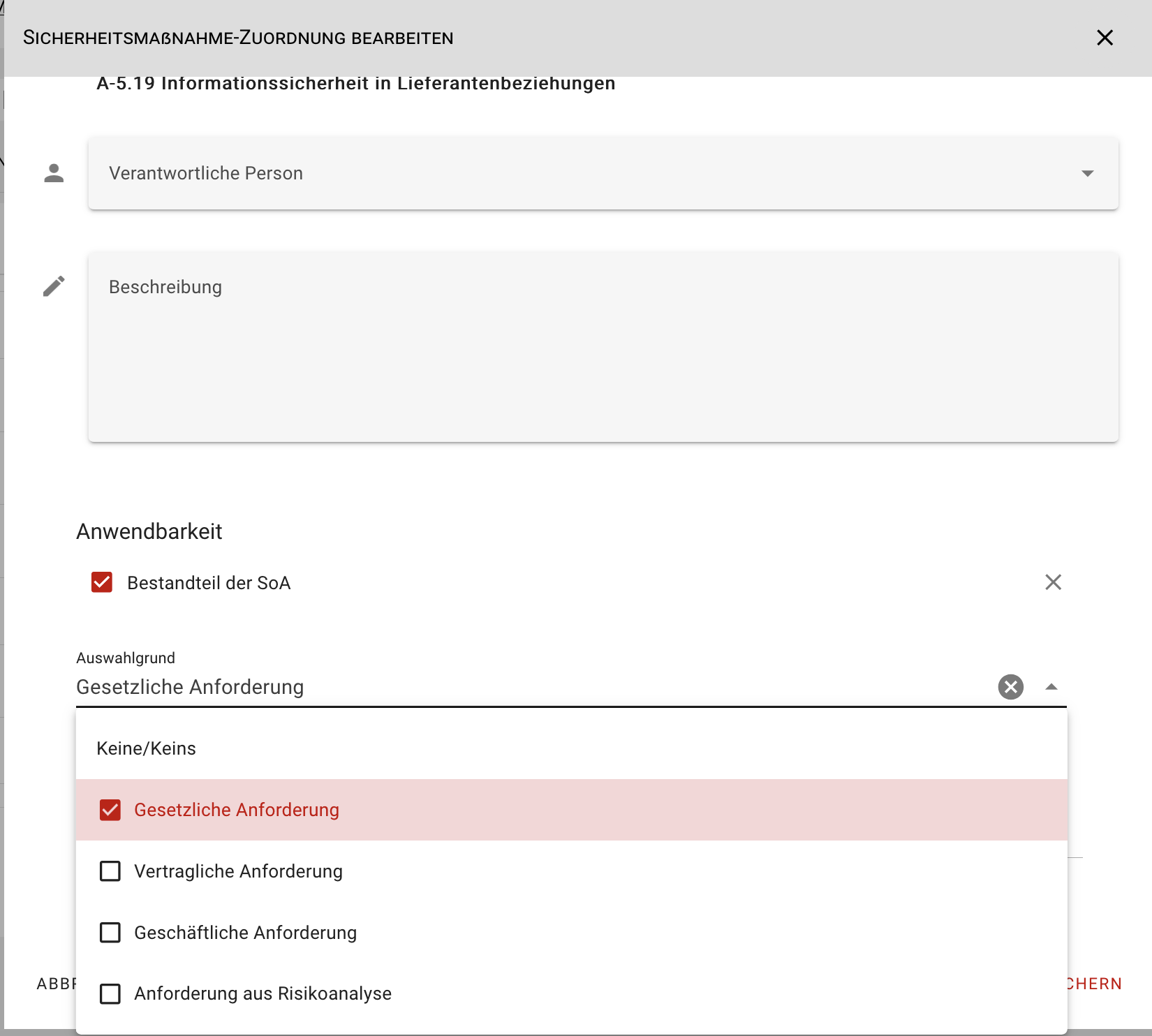
In addition to assigning a responsible person and entering a description, you can select in the “Applicability” section whether the security measure is part of the Statement of Applicability (SOA). Furthermore, you can select a reason for the selection from the categories: legal requirements, contractual requirements, organizational requirements, and requirements from the risk analysis. You also have the option to provide a justification for the applicability or non-applicability of the security measure.
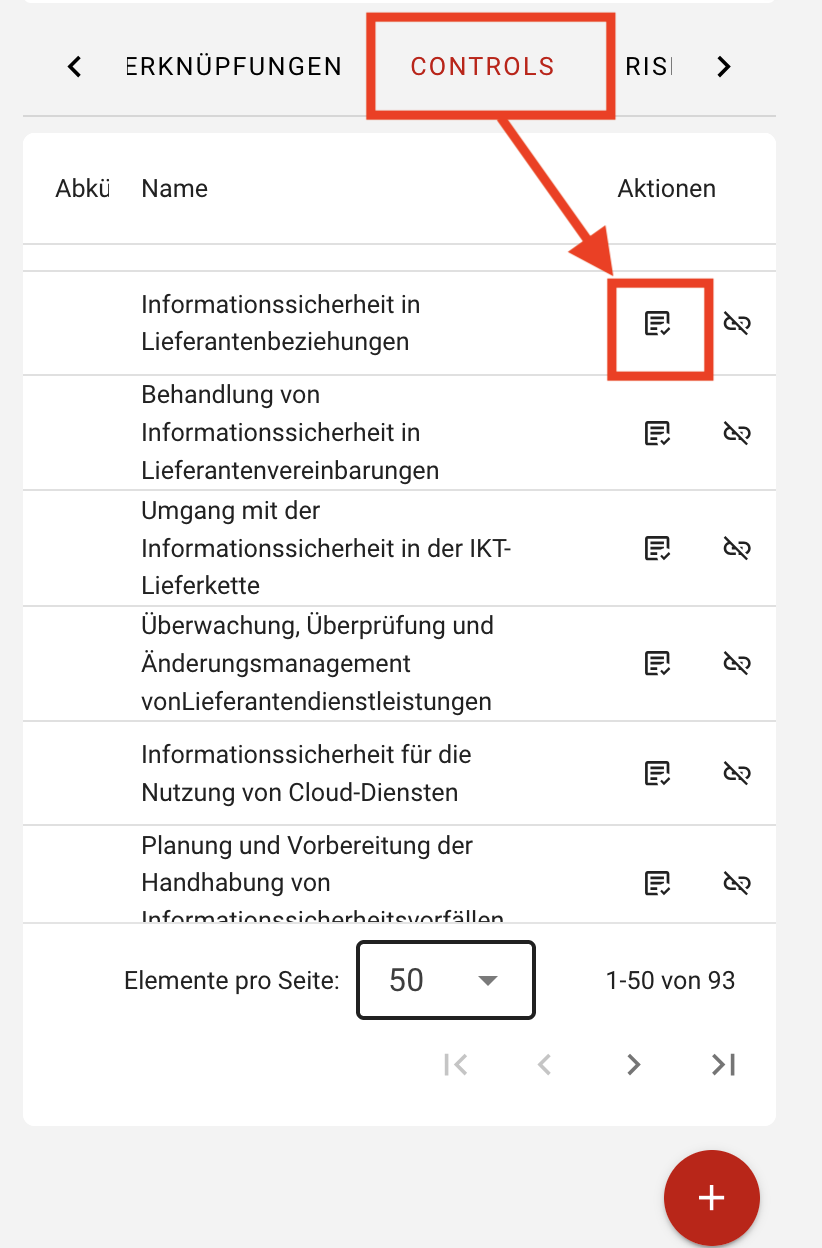
To document the implementation status of a control, open the implementation dialog by clicking the Show Implementation icon:
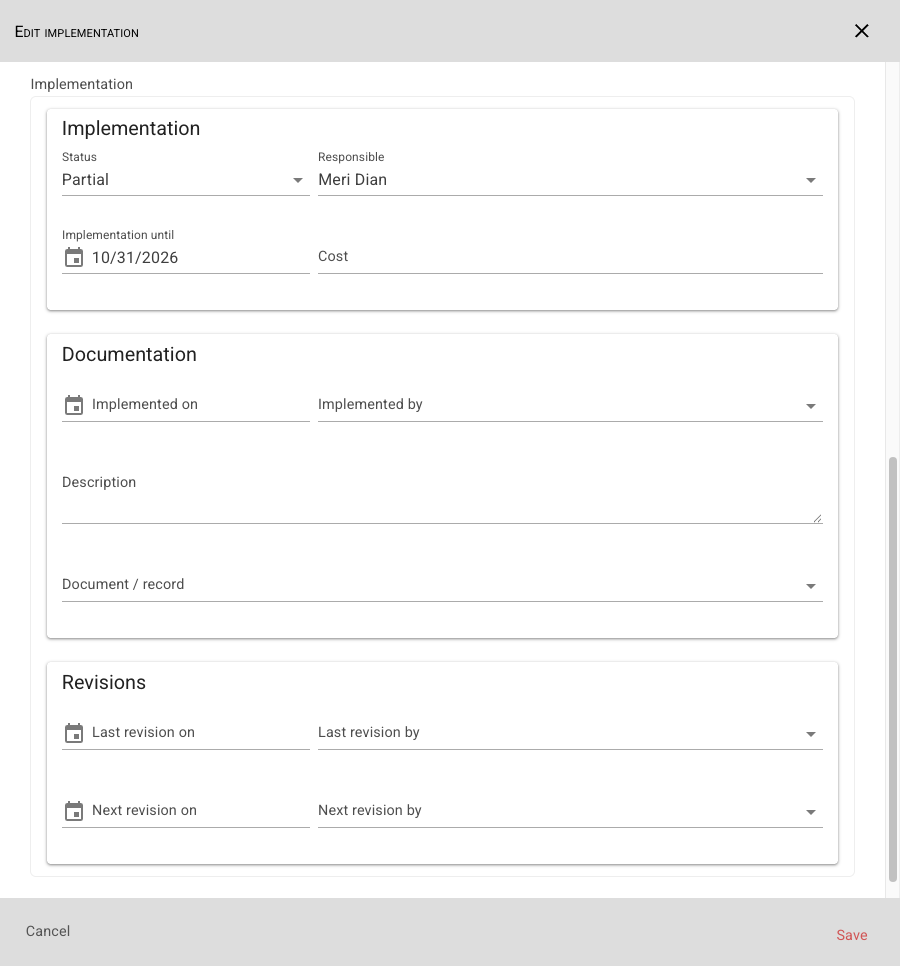
Open the corresponding control and document the current implementation status in the lower section:
SoA Report
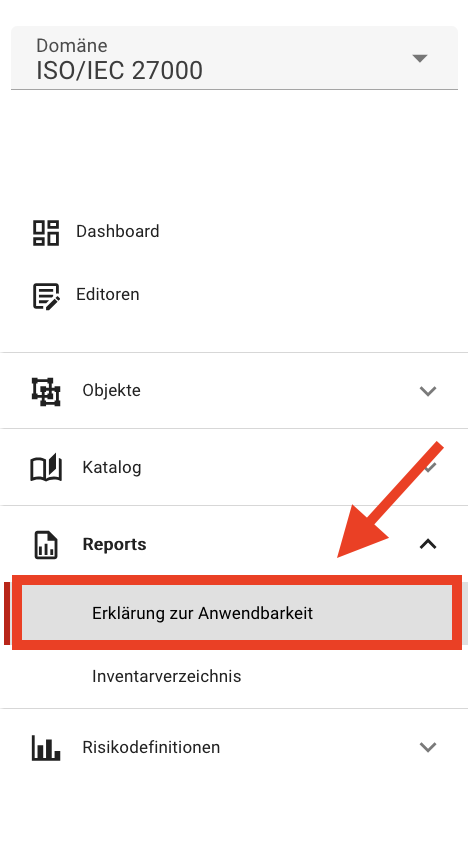
A fully completed Statement of Applicability report can be exported as a PDF for further use. To do this, click Reports in the left menu and select Statement of Applicability:
Select an ISMS scope with the assigned ISO/IEC 27001 Annex A controls and click Generate Report to create the Statement of Applicability.